Case Study · Games24x7 · 2022

Chatbot

Rummy & Fantasy

CompanyGames24x7
RoleProduct Designer
PlatformHaptik (Conversational AI)
Scale~1.9 lakh tickets/month

A chatbot redesign to transform customer support for Rummy and Fantasy products at Games24x7 — moving from fully human-routed tickets to an intelligent self-service system built on Haptik's conversational AI platform, targeting 75% query resolution without human agent intervention.

Manual-only support at scale

Customer support can be self-service, especially for the large number of repetitive / redundant queries we get from our customers and we don't have any chat support in our system. For each query we transfer to a human service agent from our CS team.

We want to make customer support more transparent, quicker and easier for end users. Additionally, there are a bunch of experience issues as well listed below.

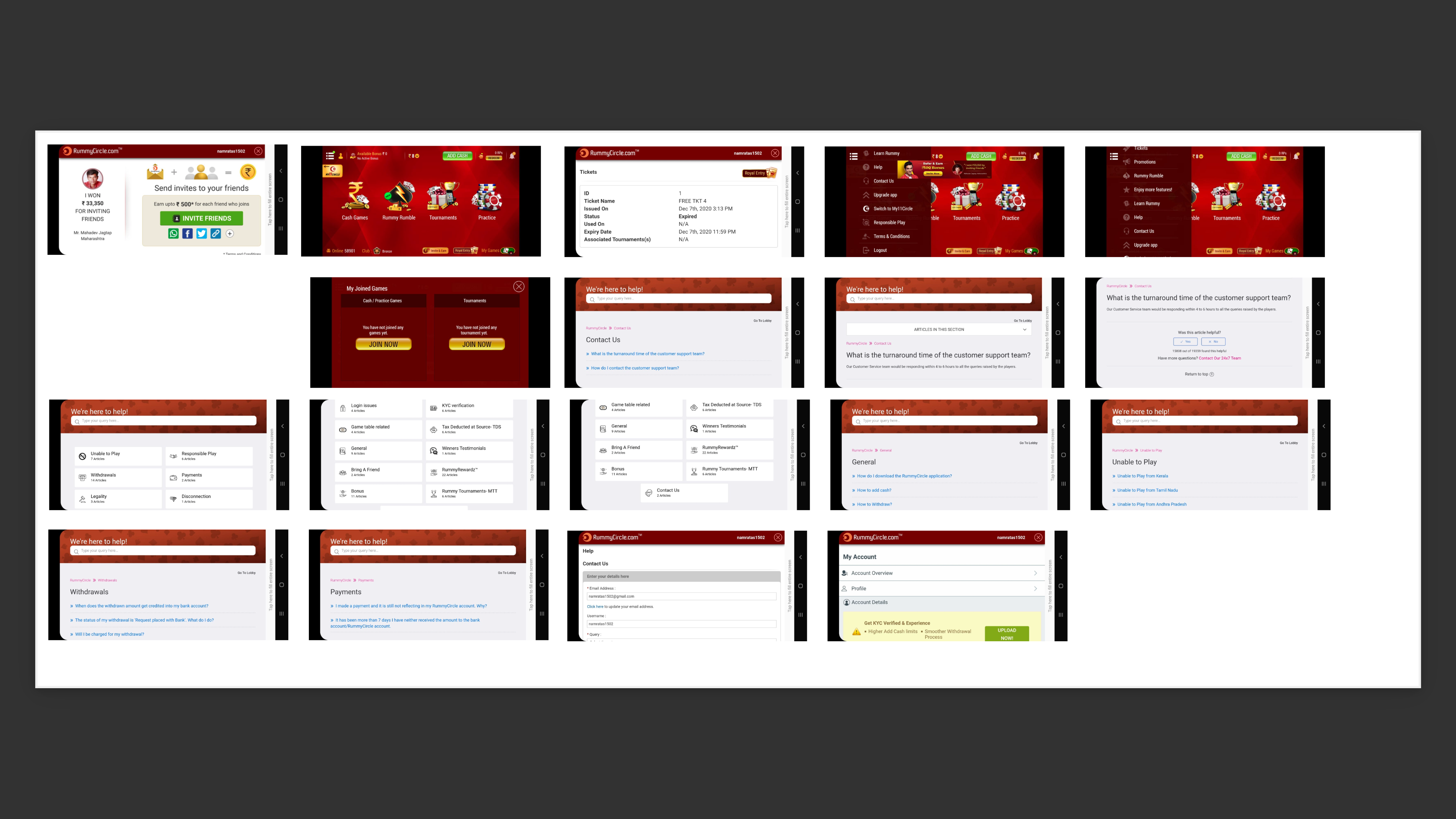
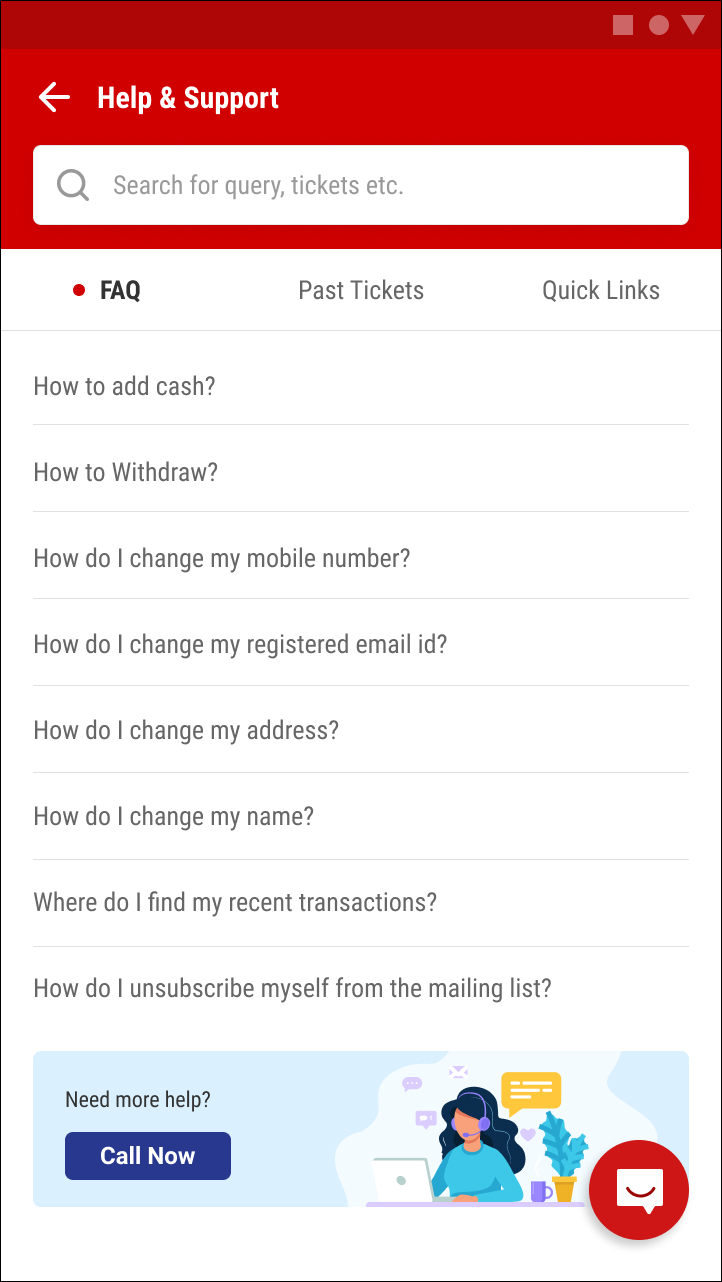
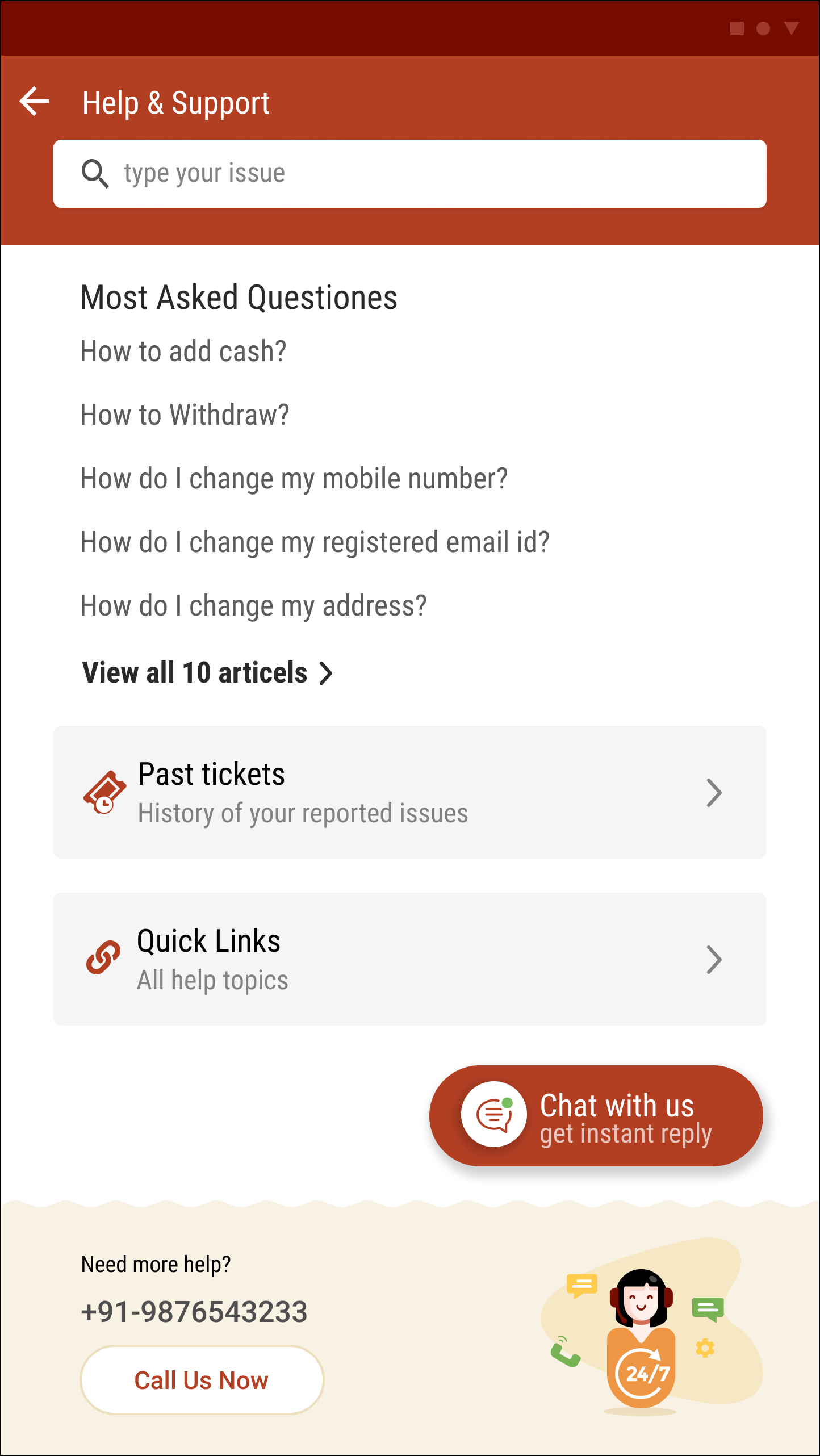
Existing pages with/without Help and Support

Existing pages — Help and Support touchpoints before redesign
Target 75% self-service

75%

Self-service target

User queries resolved without intervention of human agents — via chatbot automation.

25%

Human agent escalation

Only complex queries escalated to CS team — open tickets only for genuinely unresolved cases.

We want to eventually target ~75% user query resolution without the intervention of human agents. That means only complex ~25% queries get transferred to human agents (Games24x7 employees who are resolving queries, i.e. open tickets). Also, we want a speedy, easier and simpler UX for end users to find answers to their questions. This will impact CSAT and also long term help us reduce manpower costs.

Chatbot as first line of defense

Deploy a chatbot (virtual chat assistant) as the 1st line of defense for end users. The chatbot, via its integration capabilities, is supposed to answer the majority of end-user queries.

Only open tickets that are user queries wherein users do not get a resolution, should then form a ticket for our CS team to handle.

Powered by Haptik — Conversational AI Platform

Research to ready-for-dev

After seeing the current flow and pages, I mapped where help and support should be added, conducted competitor research, and iterated through design drafts before final stakeholder approval.

01

Map the Existing App Flow

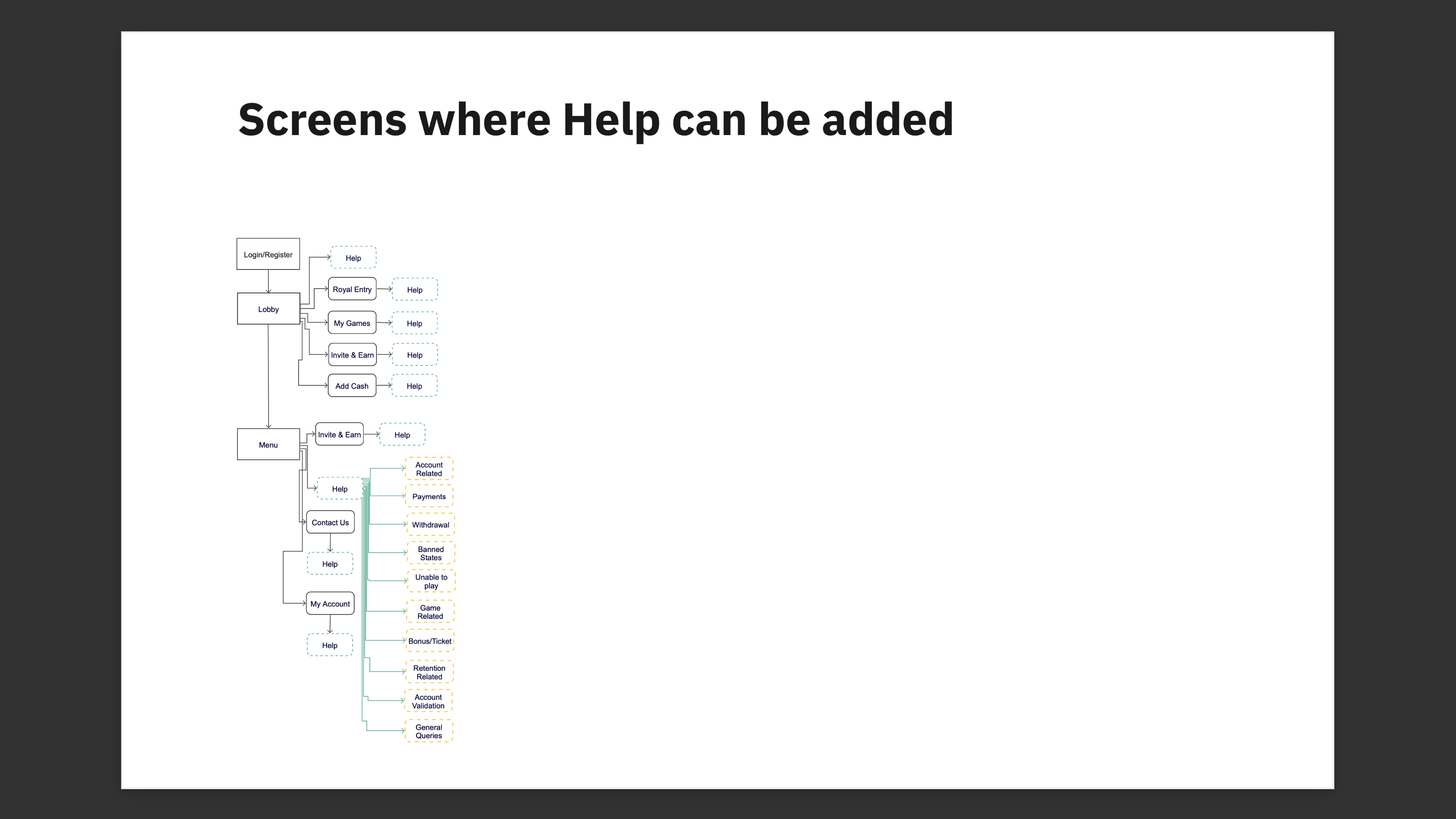
I mapped the existing app flow to identify where Help & Support touchpoints should be added — creating a proposed flow showing exactly where chatbot entry points would live.

Flow where help and support can be added

Flow where help and support can be added

02

Competitor Analysis

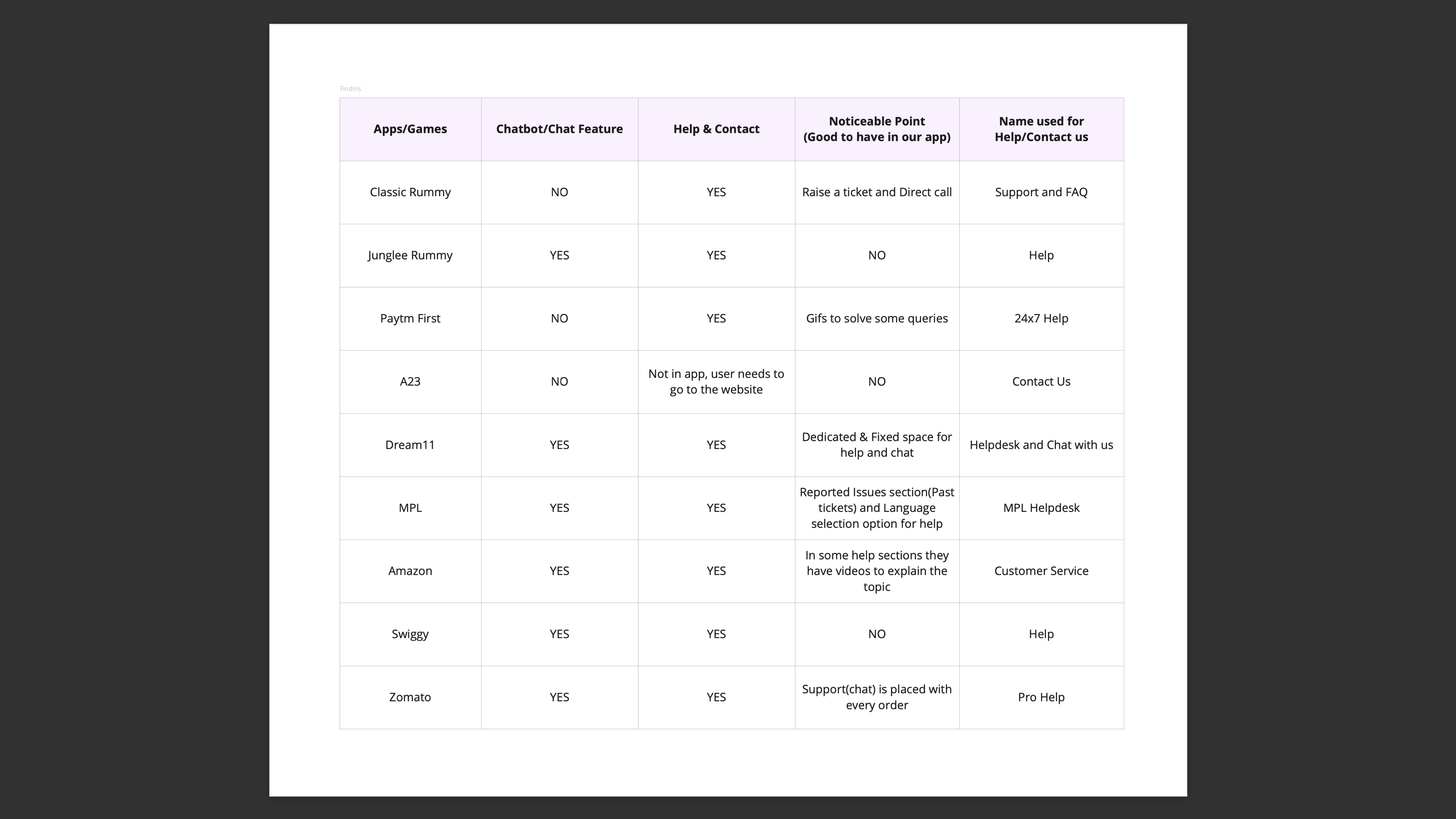
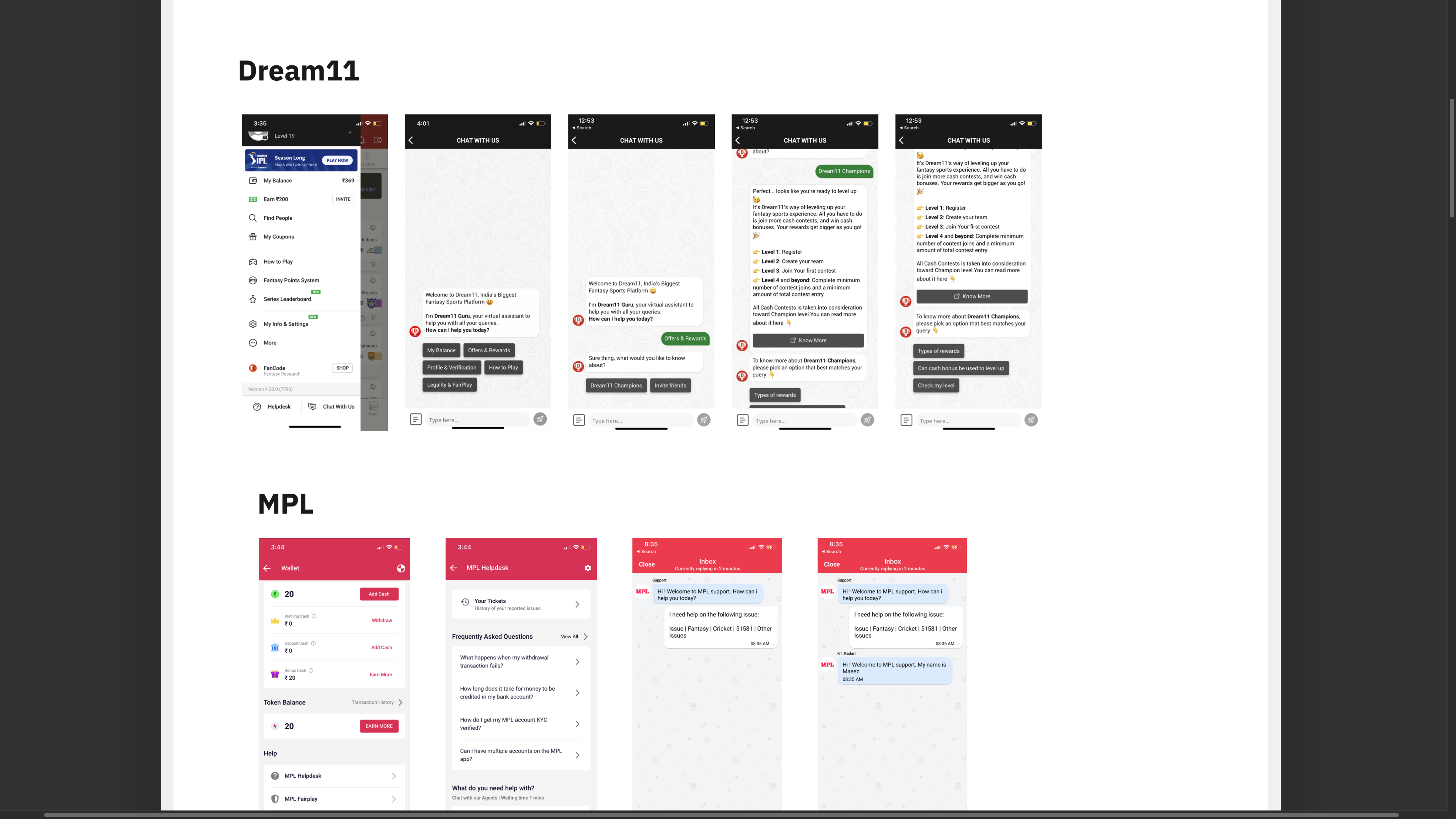
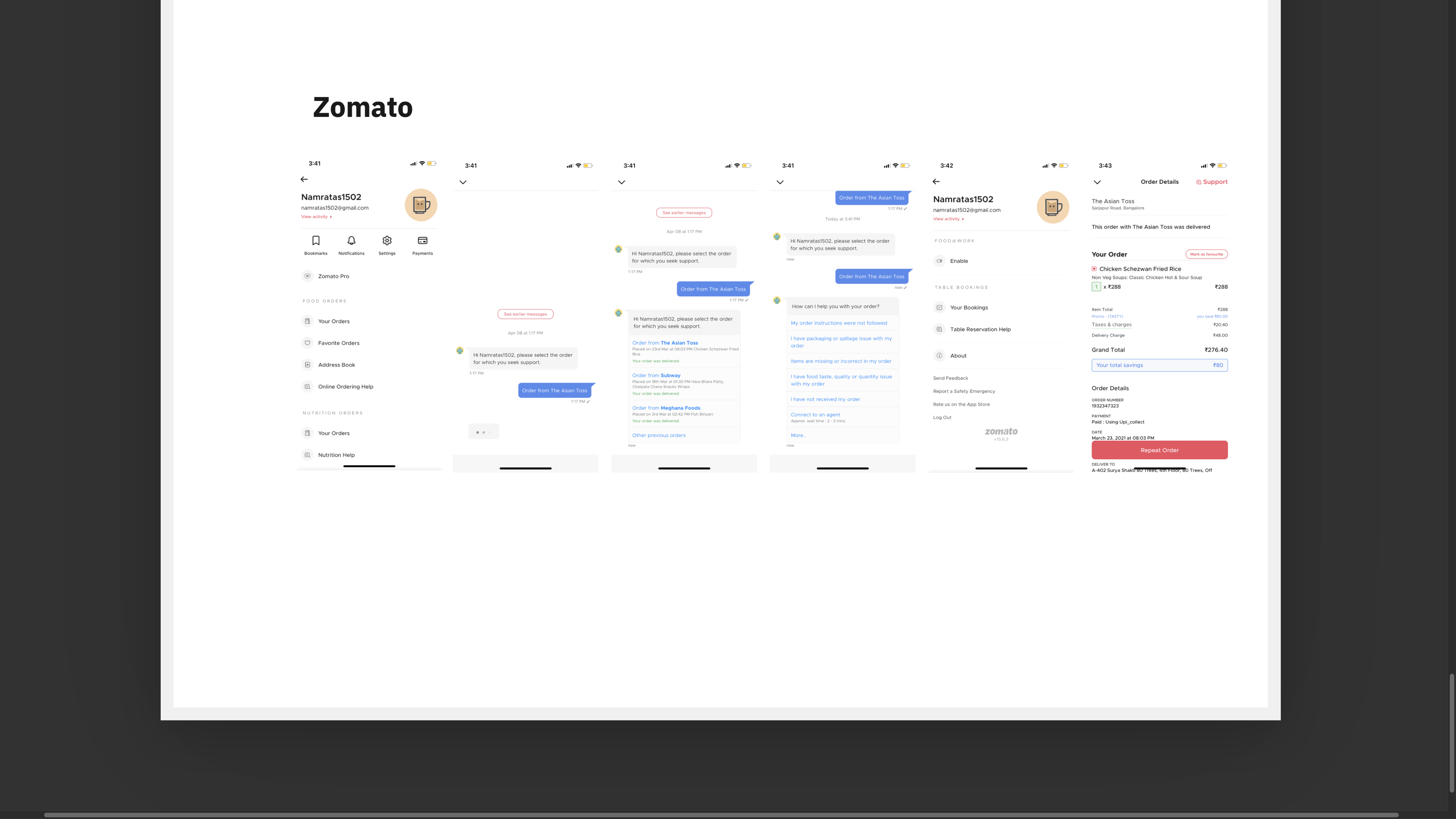
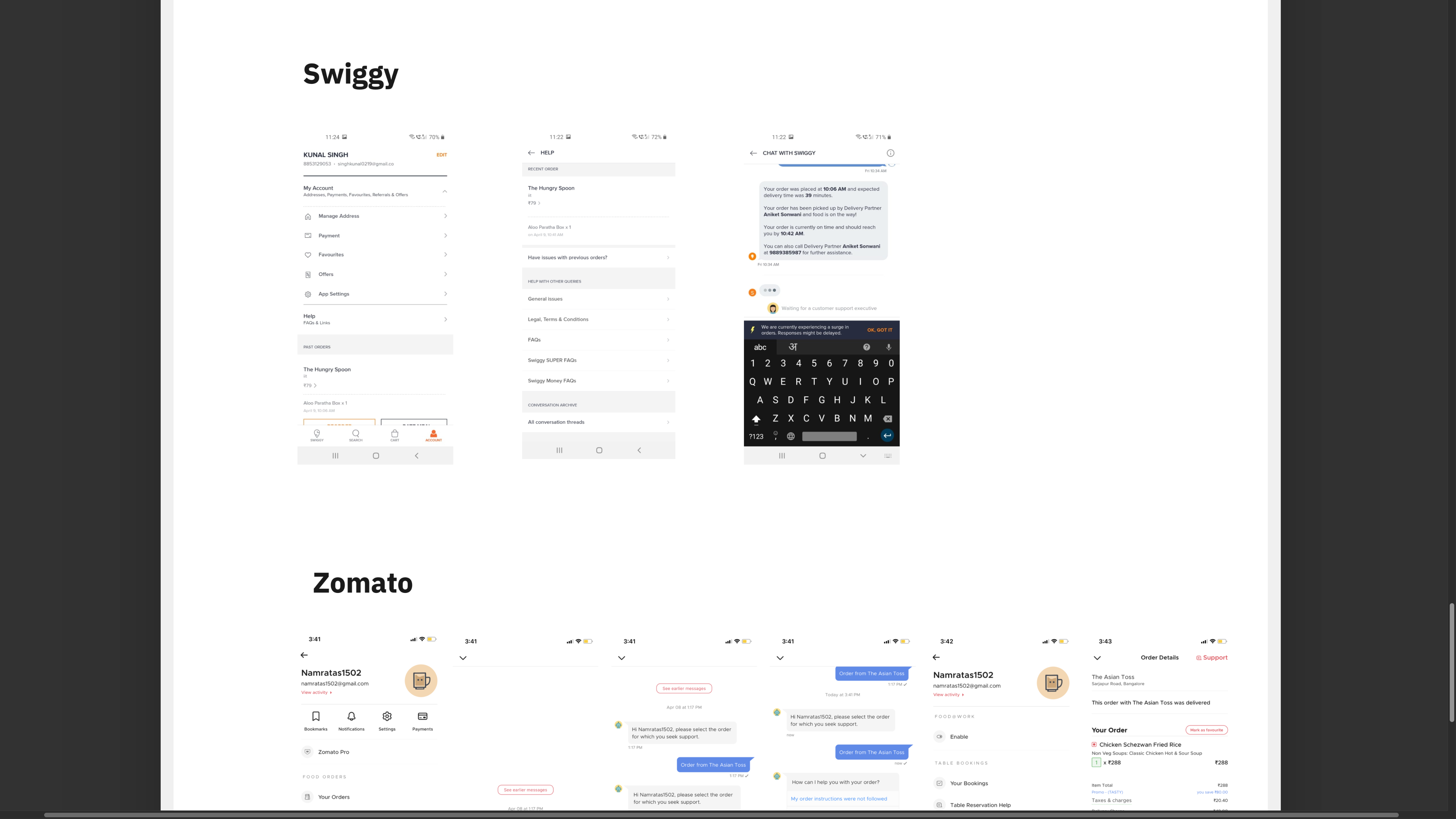
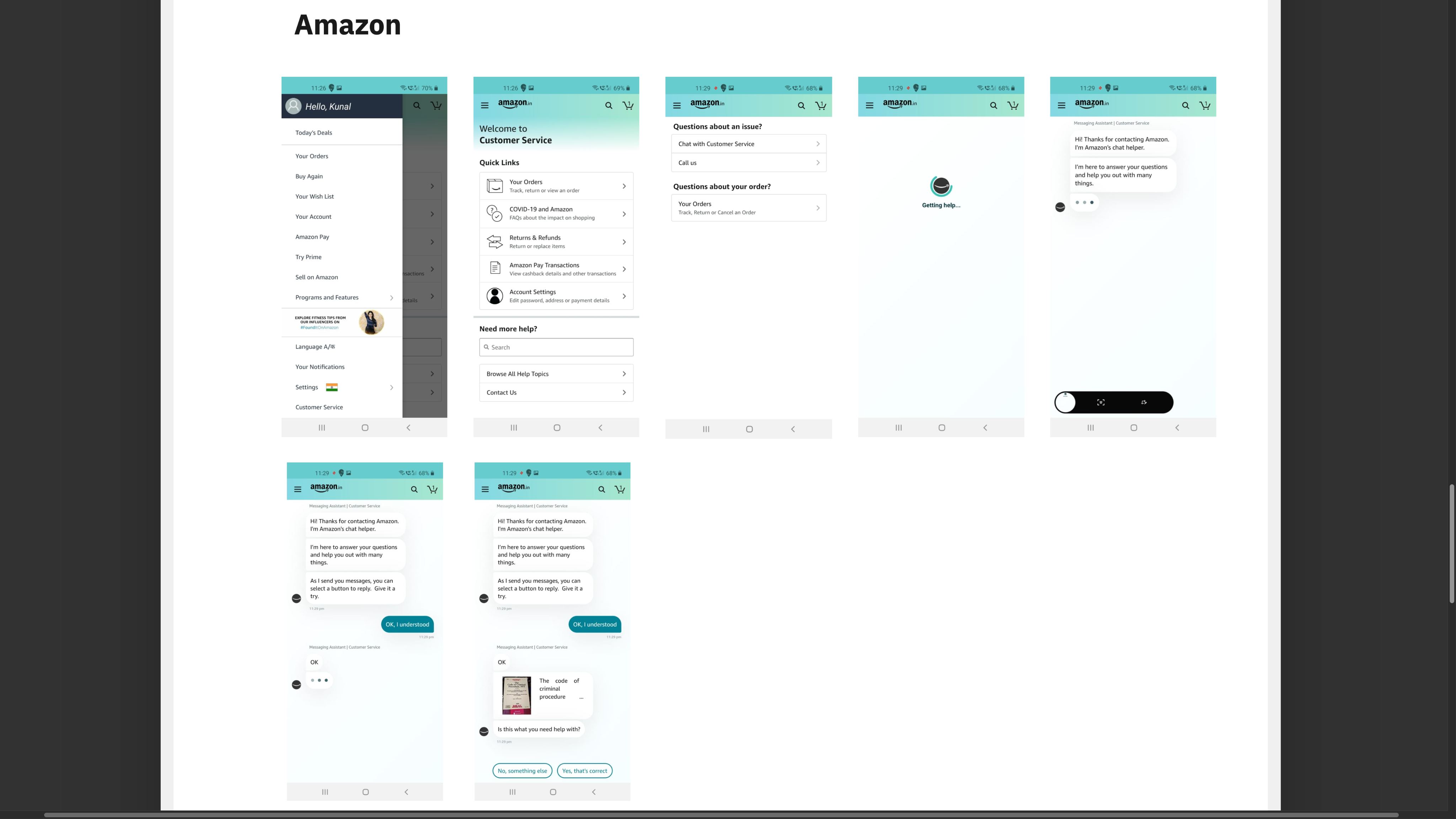
After flow creation I did market and competitor analysis to understand how other apps are solving customer support. First I checked how many apps are using chatbots — starting with well-known examples like Amazon, Zomato, and Swiggy, then looking closely at direct competitors Junglee Rummy and Dream11.

Apps that are using chatbot

Apps using chatbot support — landscape research

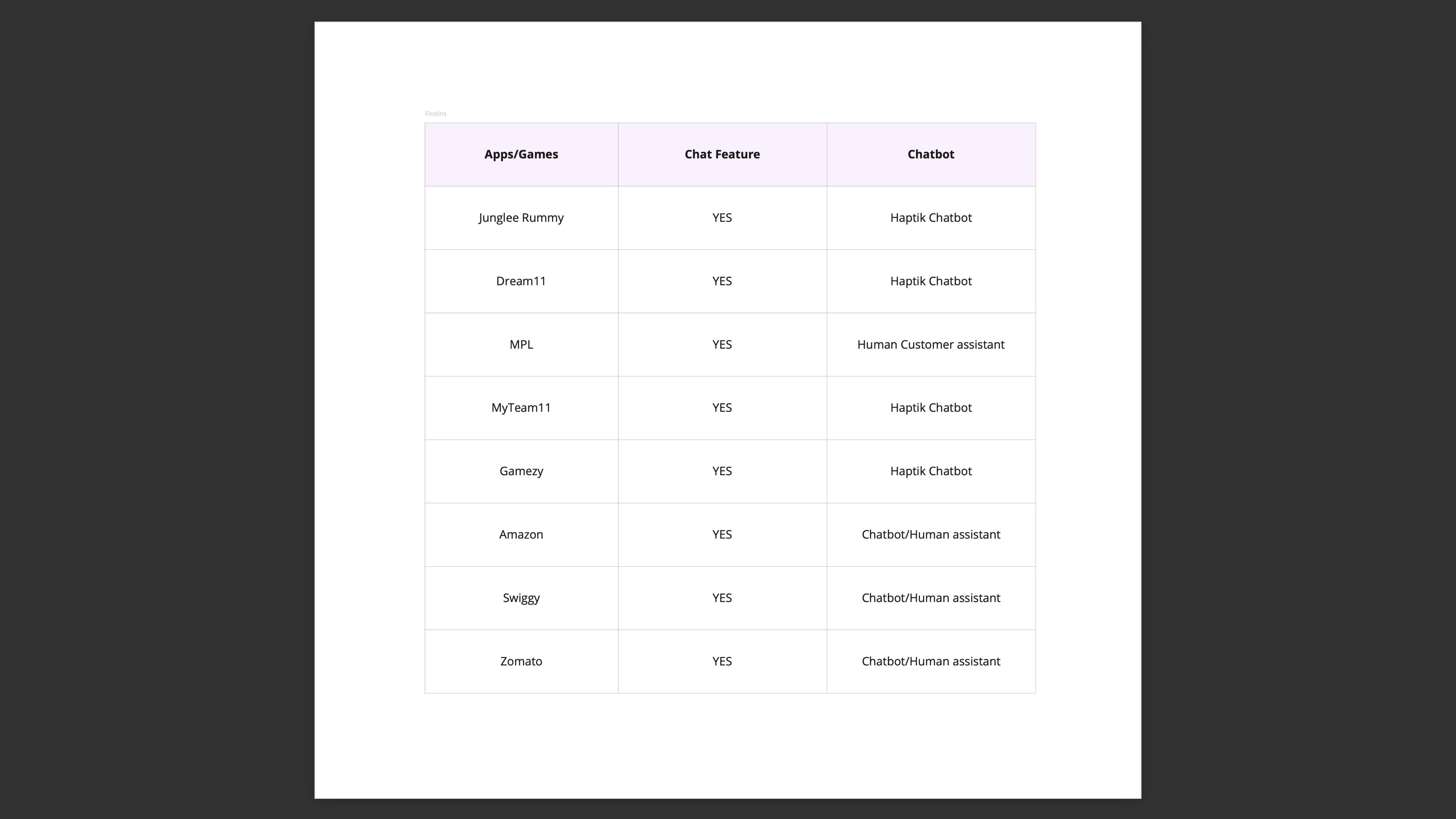
Type of chatbots used by companies

Types of chatbots used by different companies

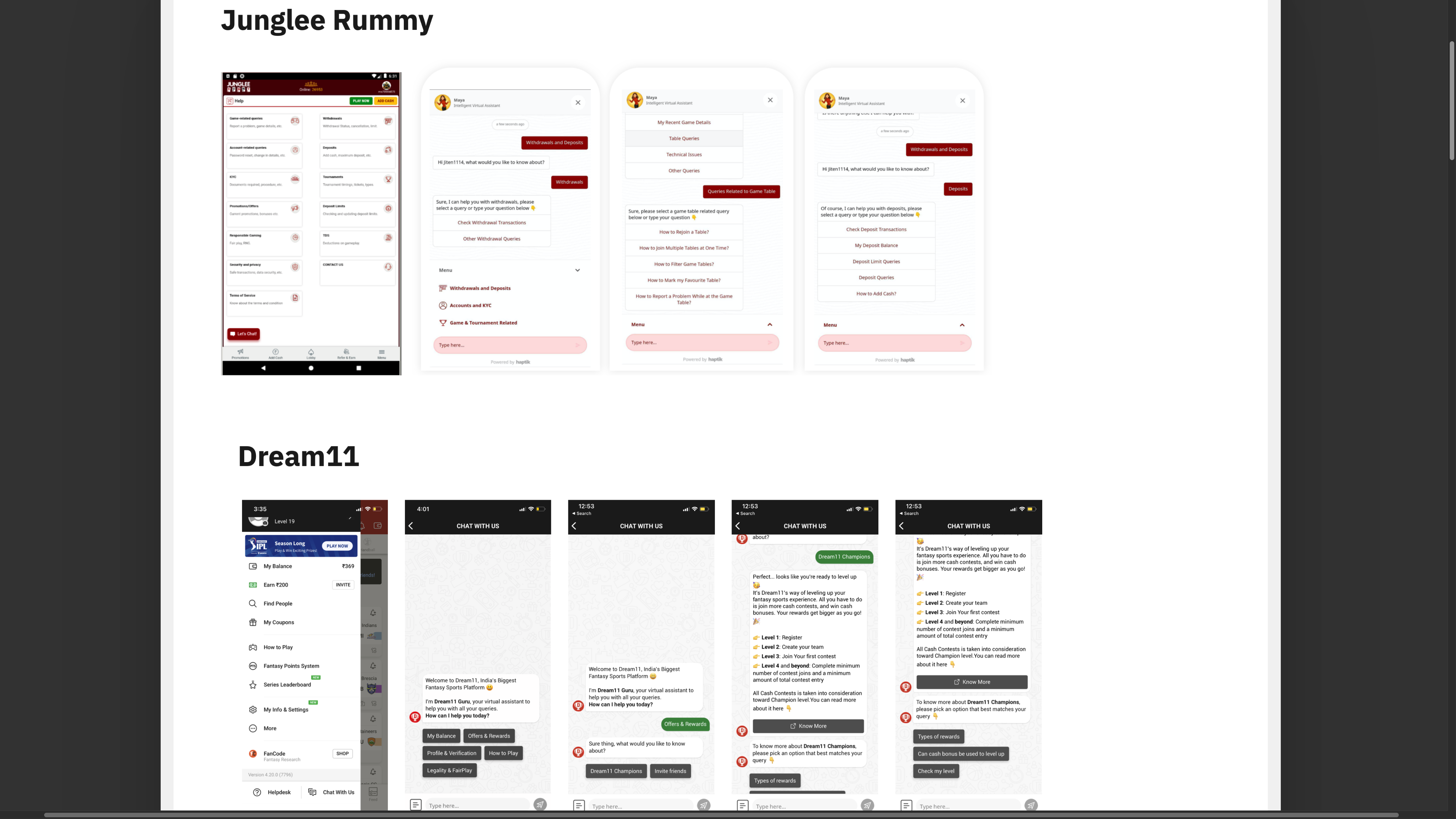
Junglee Rummy support

Junglee Rummy

Dream11 support

Dream11

Zomato chatbot

Zomato

Swiggy chatbot

Swiggy

Amazon chatbot

Amazon

03

Design Drafts

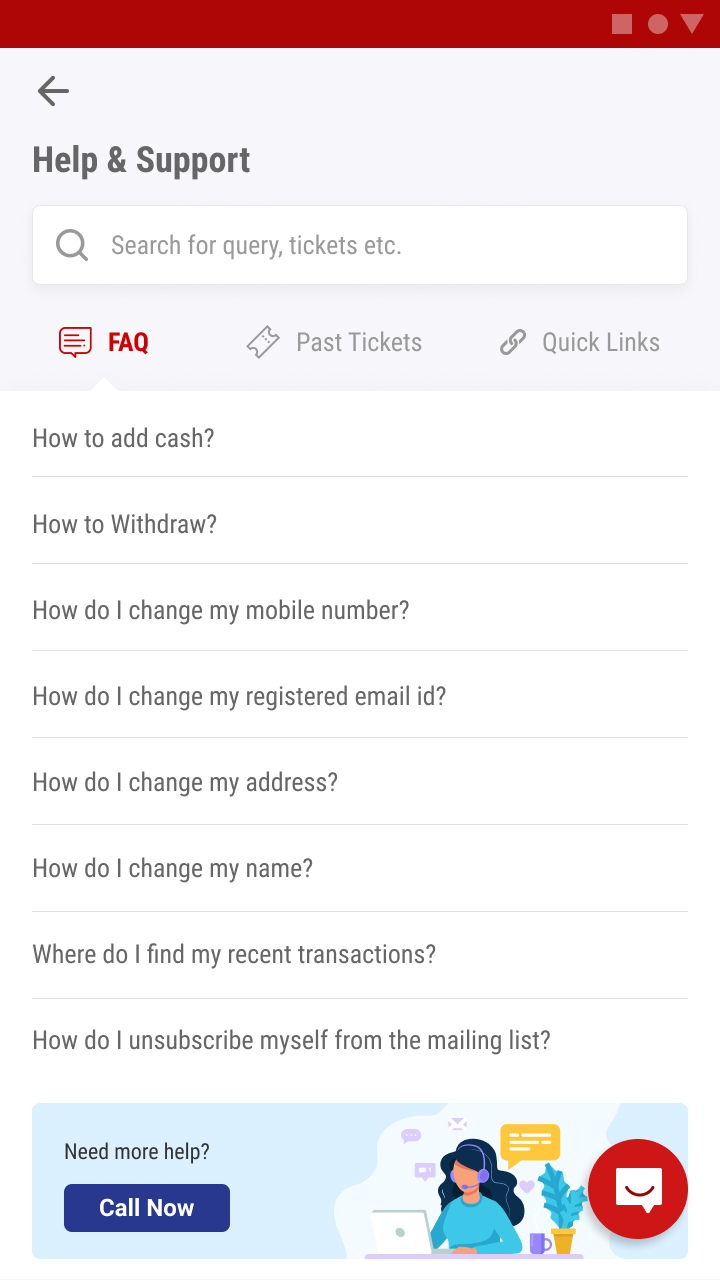
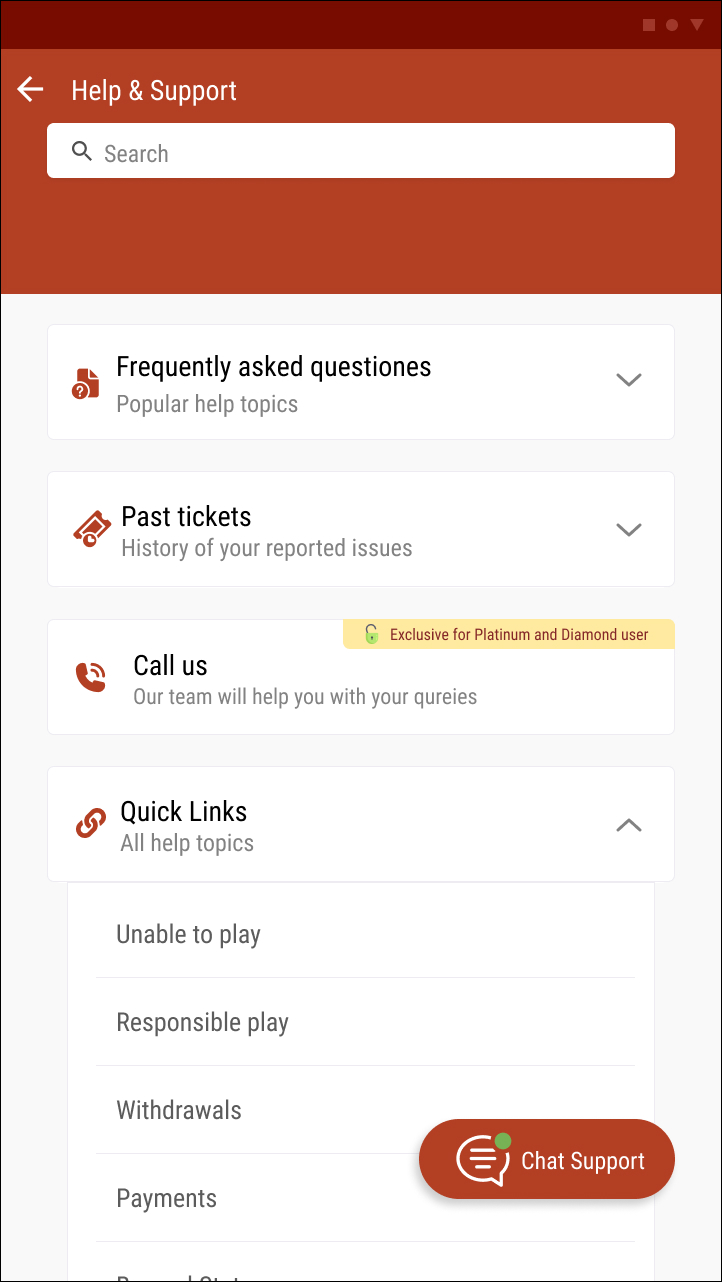
Once done with all research, I started working on first design drafts covering all use cases and scenarios — five help home options, two chat initiation options, and three CTA/page style variations.

04

Stakeholder Review & Tech Handoff

After months of research, ideation, and design iterations, the final work was shared with stakeholders and approved for handoff to the tech team.

Exploring the design space

I explored multiple design directions for each key component — ensuring all use cases and edge cases were covered before converging on the final solution.

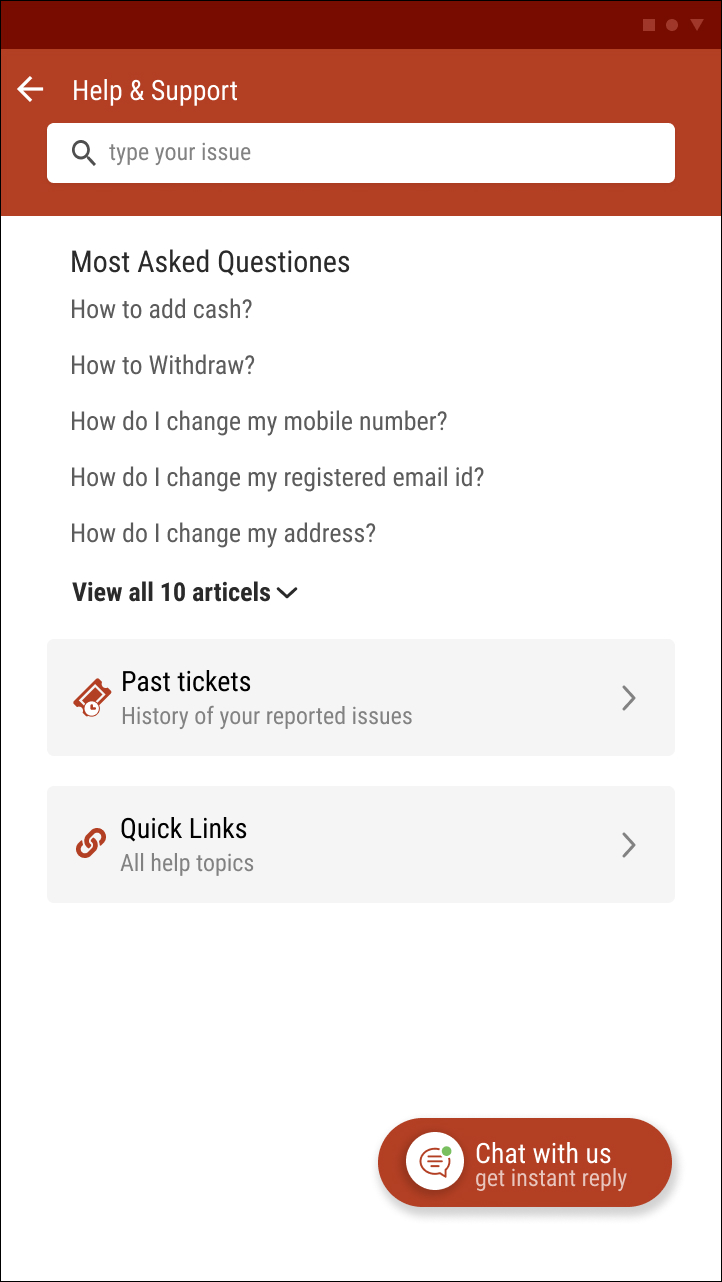
Help & Support Home Page — Design Options

Help support option 1
Help support option 2
Help support option 3
Option 66
Option 86

Chat Initiation Point Designs

Chat initiation option 1
Chat initiation option 2

Different Styles for CTAs and Pages

CTA style option 1
CTA style option 2
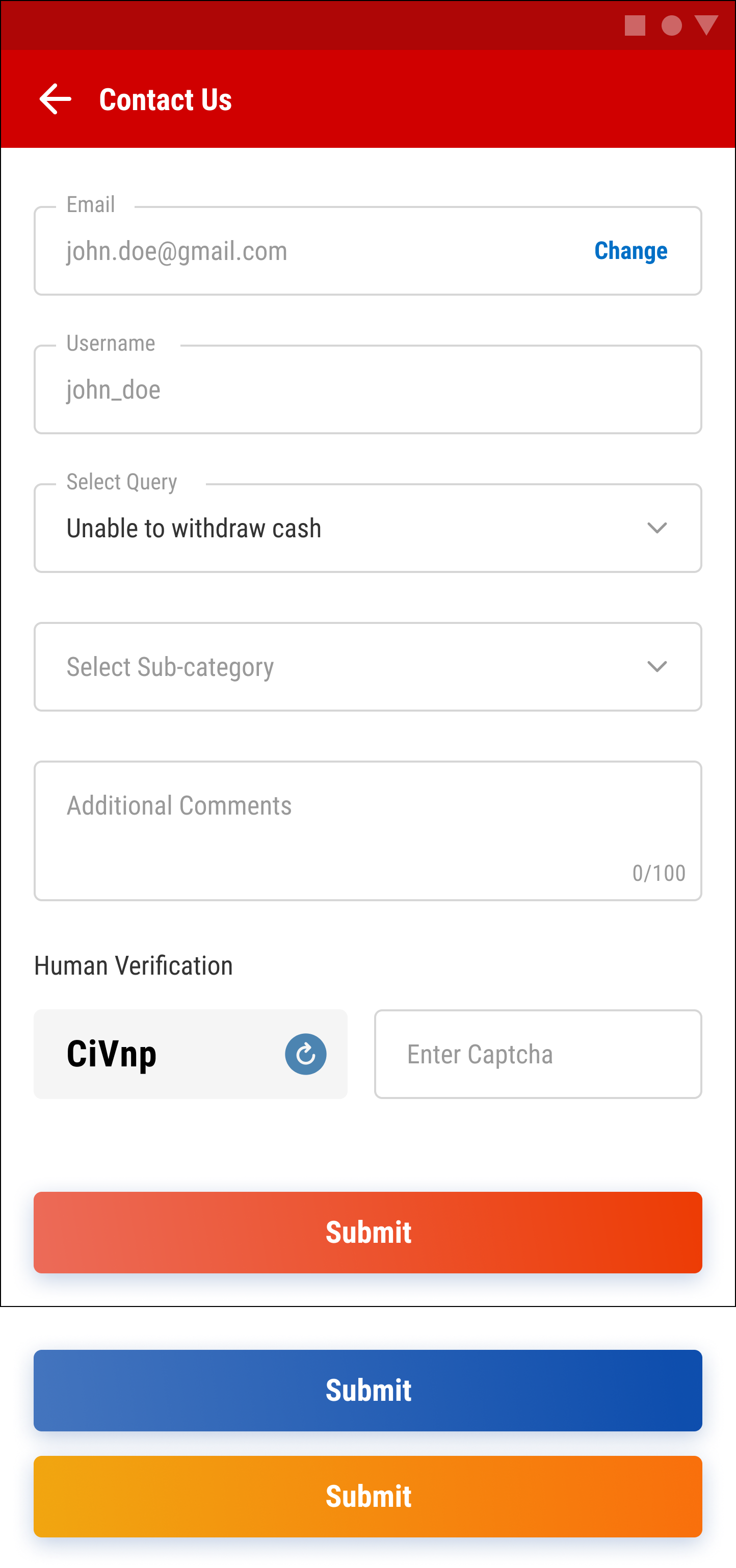
Contact form
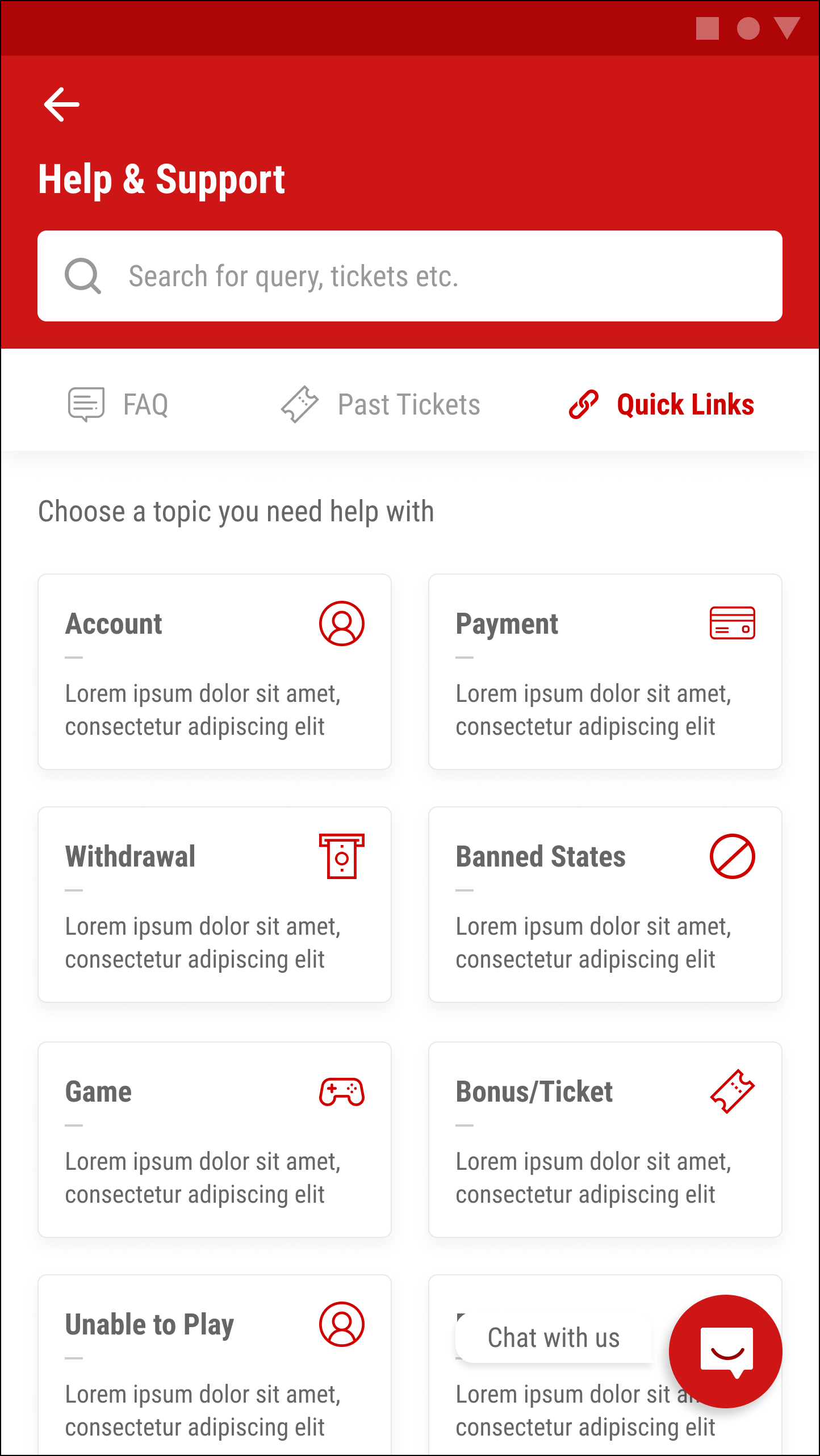
Quick links option 1

Final designs & flows

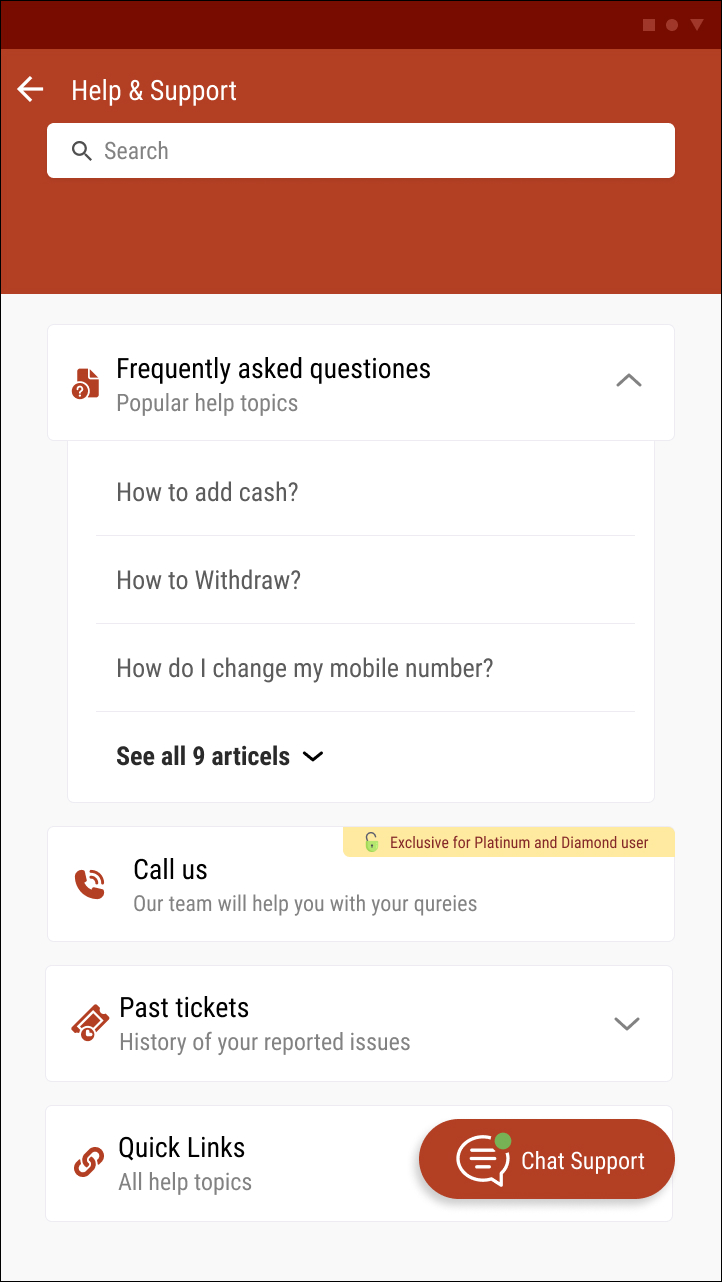
After months of research, ideations, and design iterations — the final work received stakeholder approval and was handed over to tech.

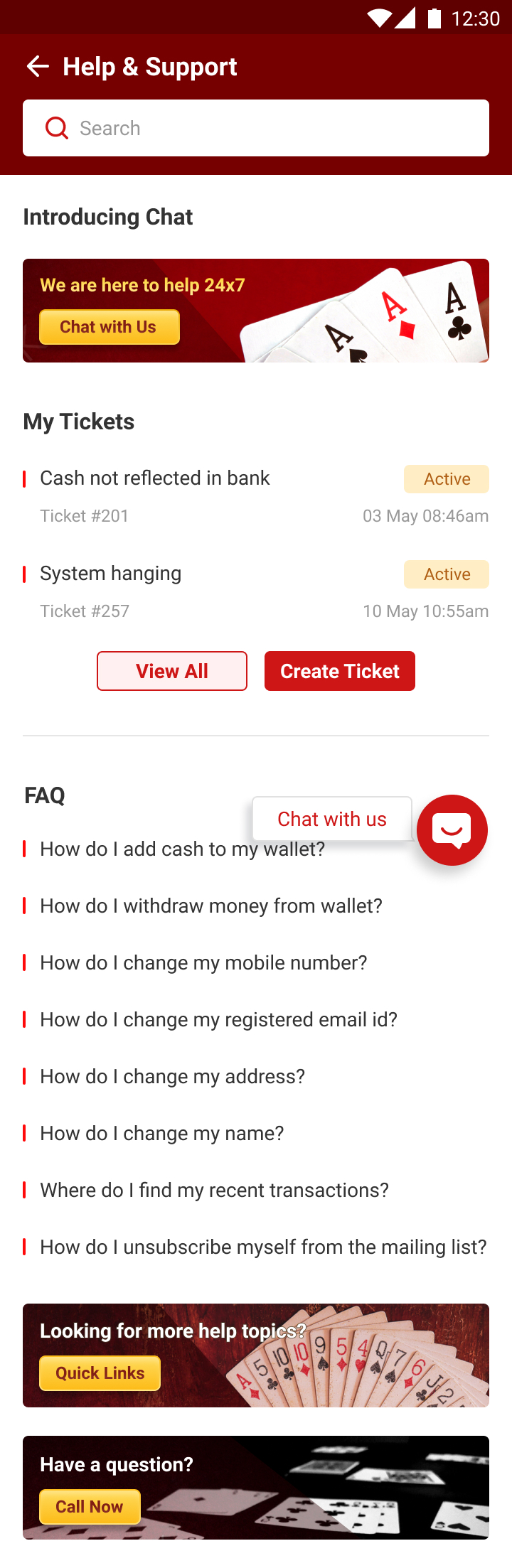
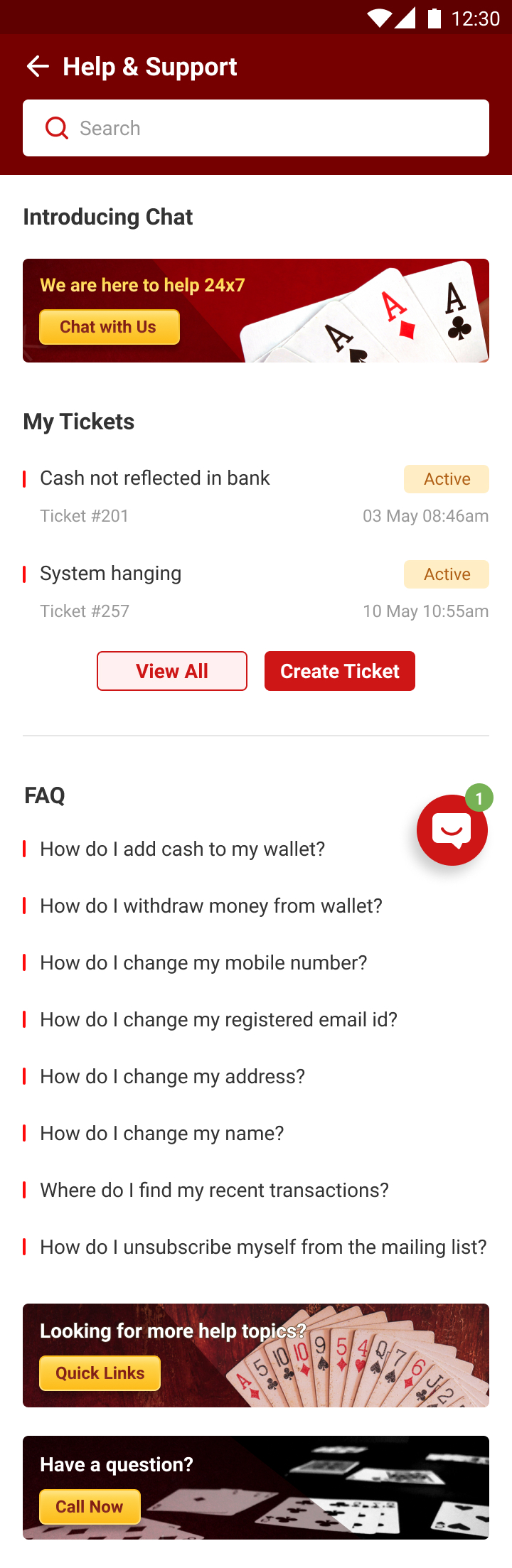
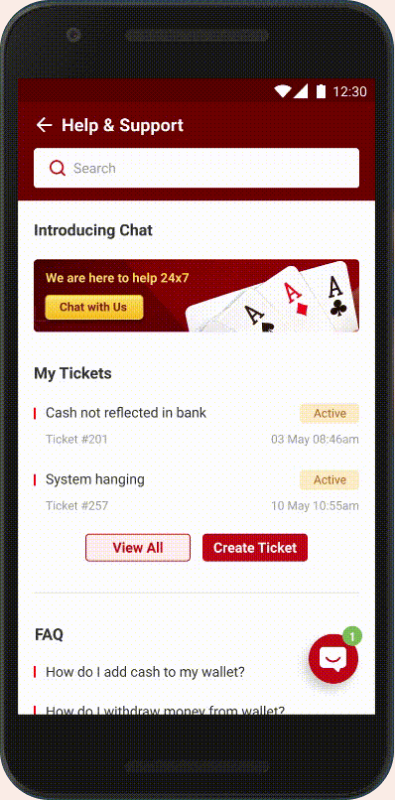
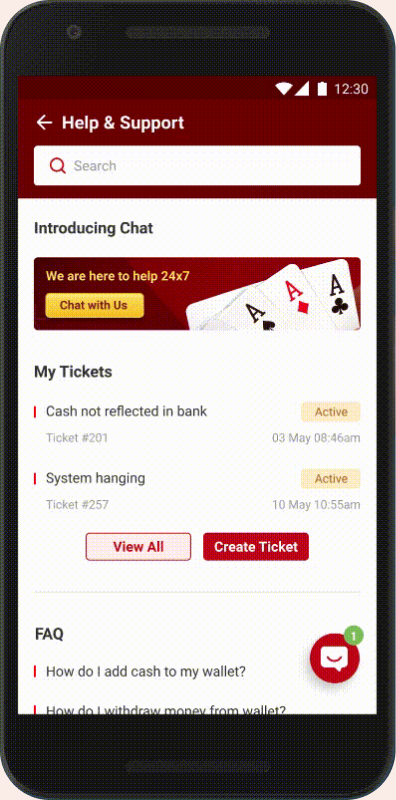
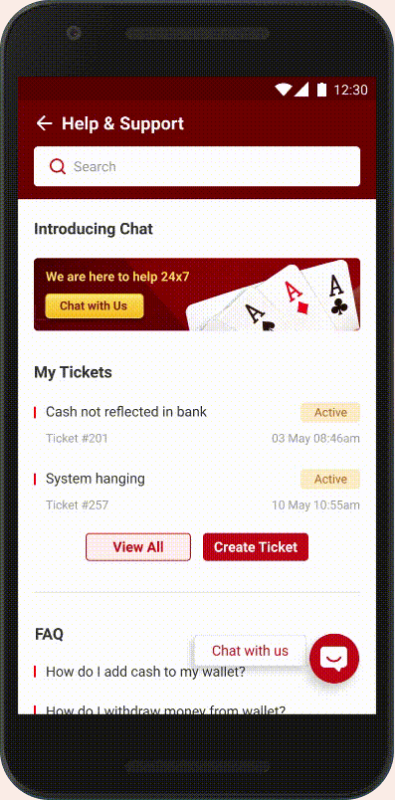
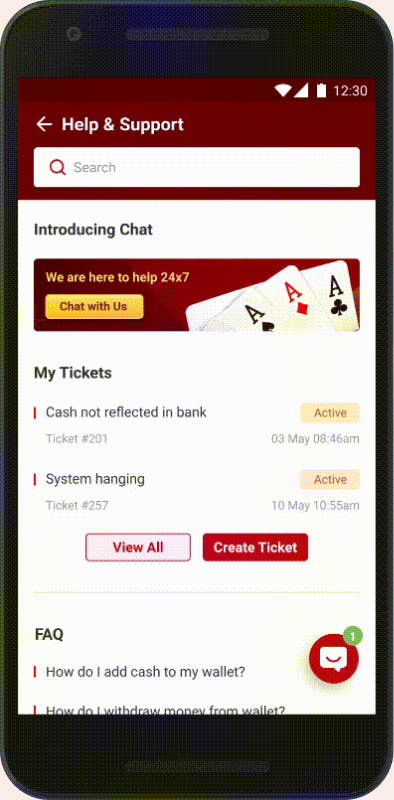
Final help home page variant 1
Final help home page variant 2
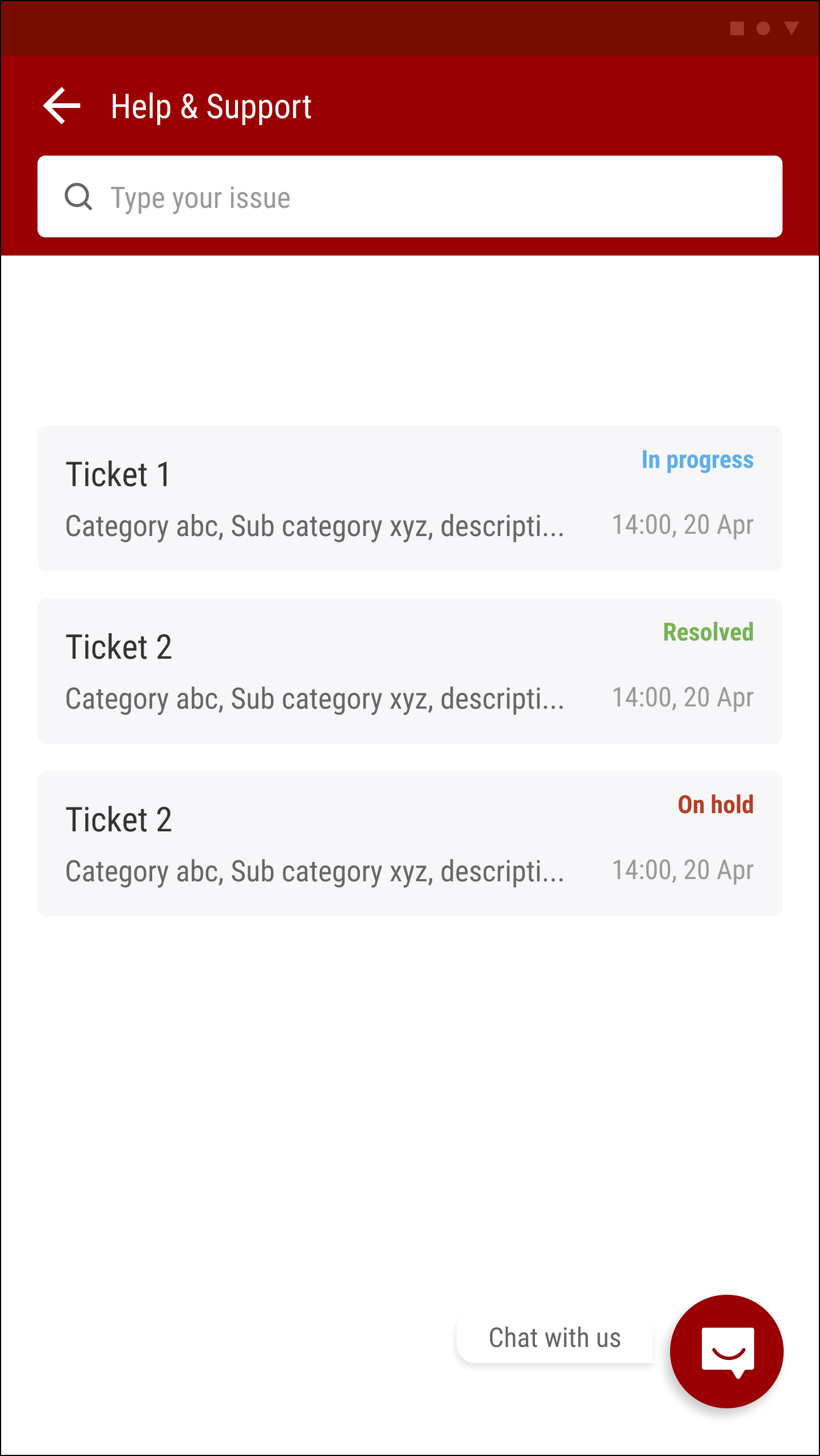
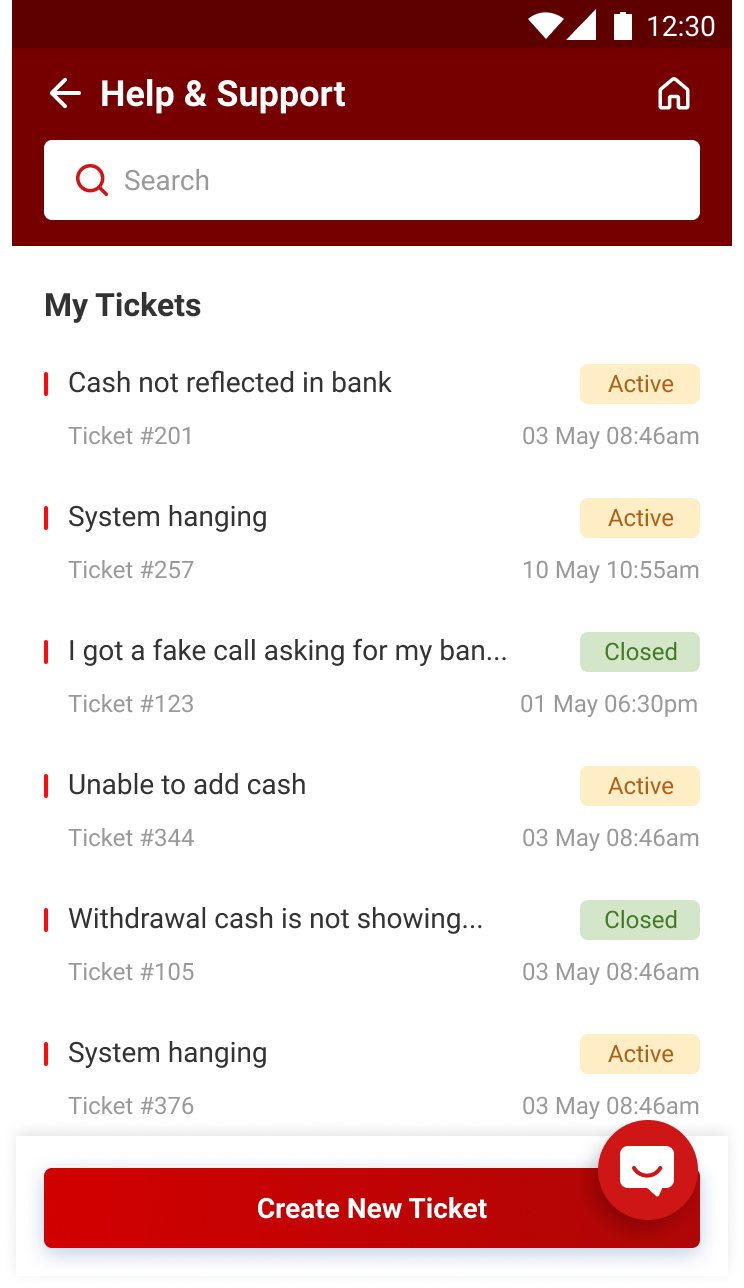
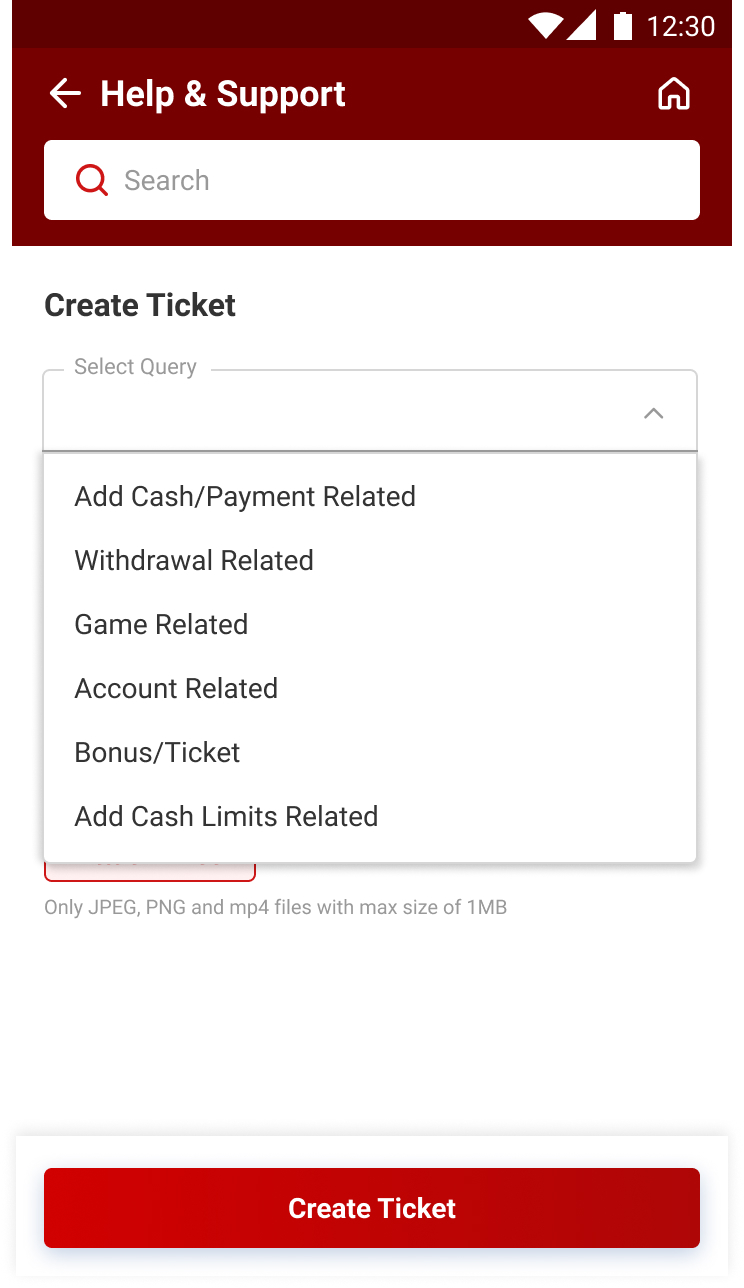
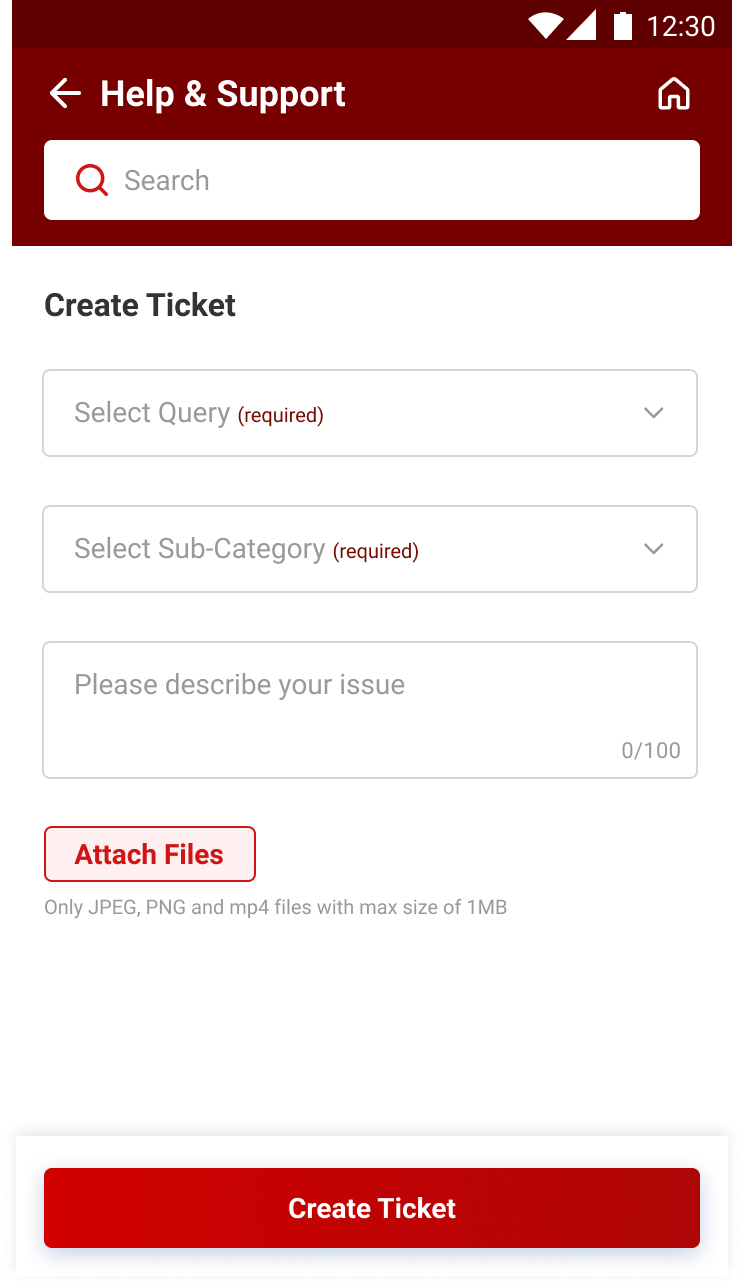
Ticket creation screen 1
Ticket creation screen 2
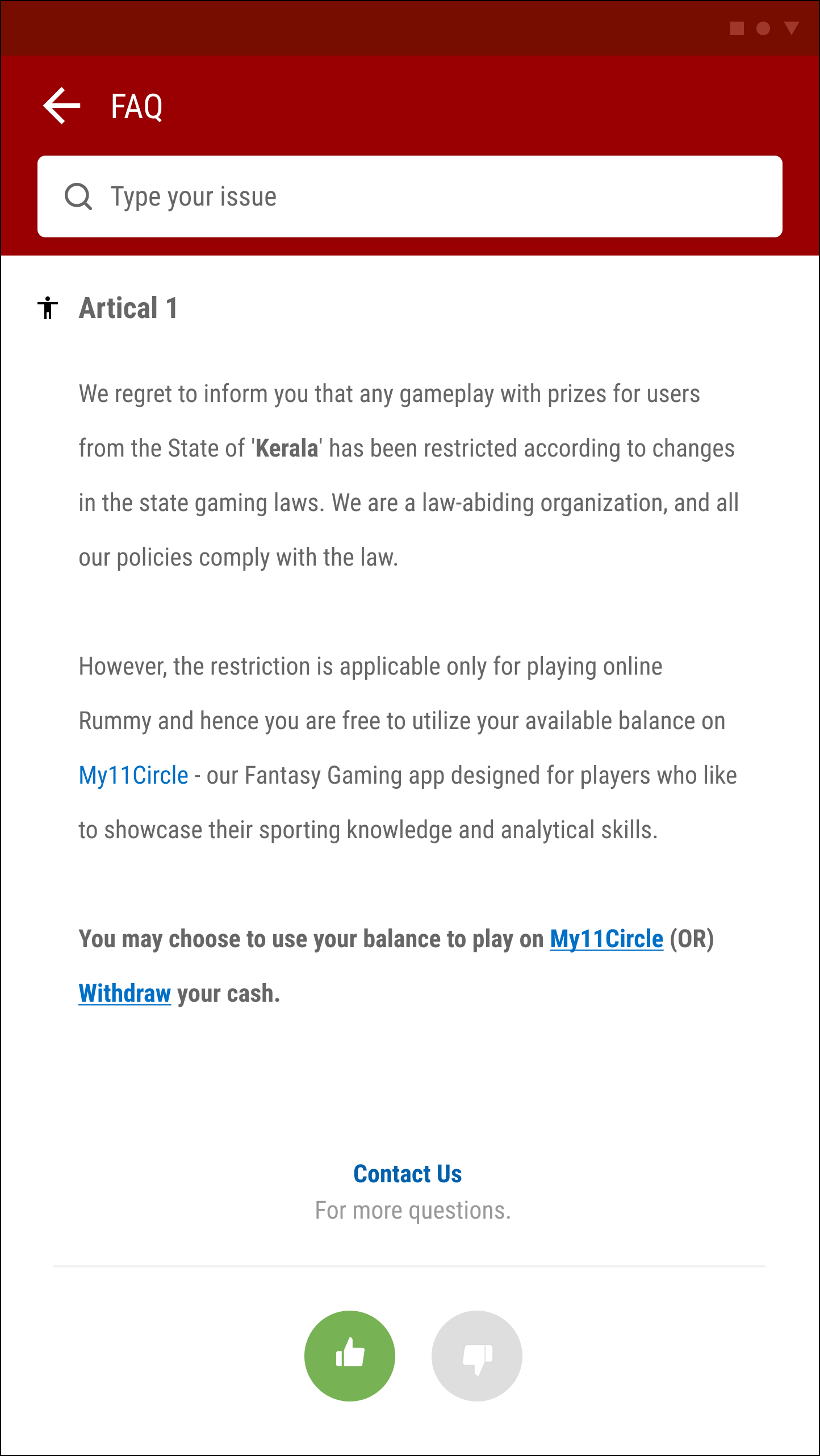
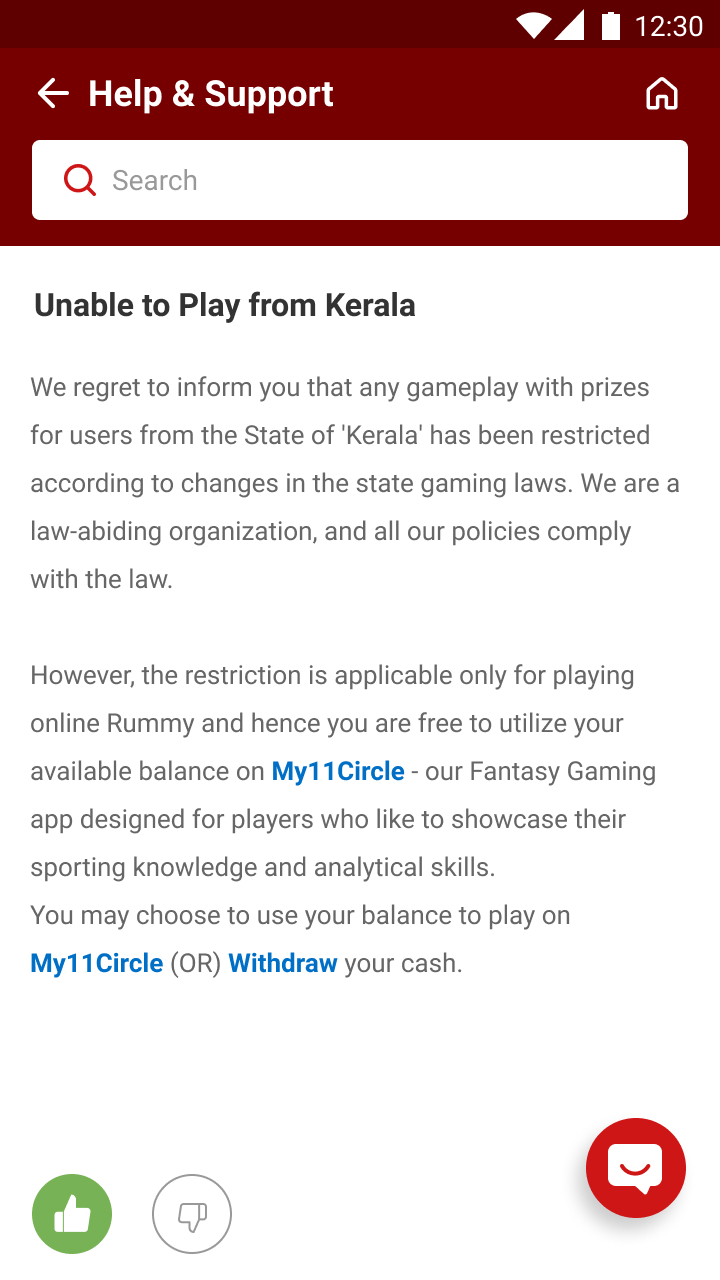
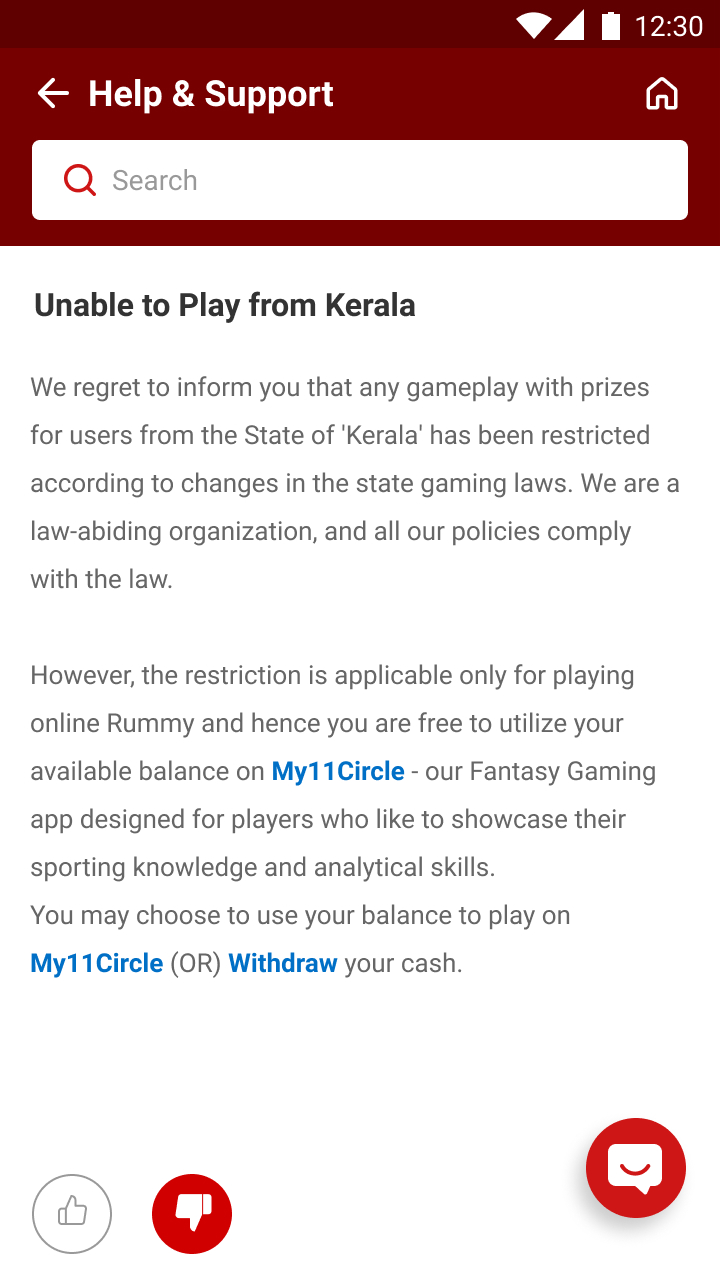
Inner page with chat and like dislike
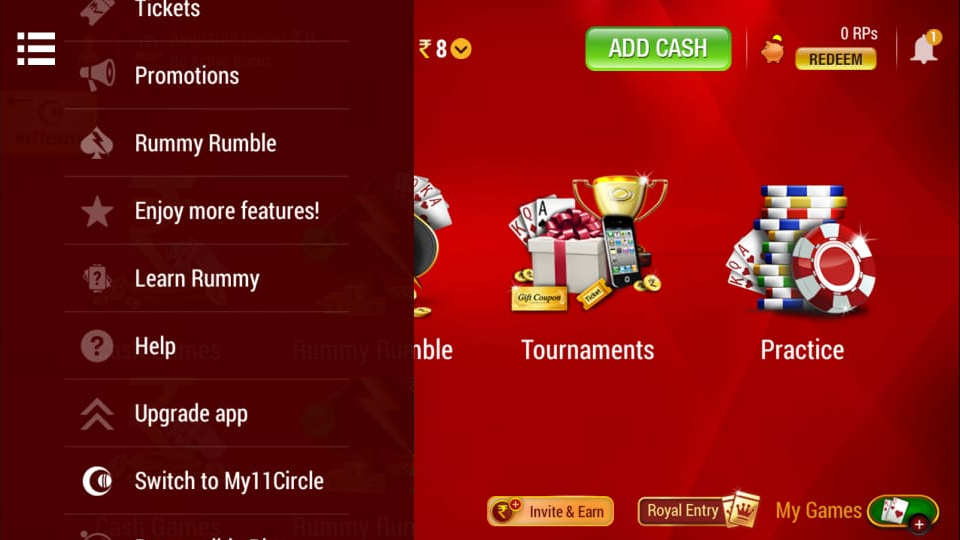
Main menu before

Before

→
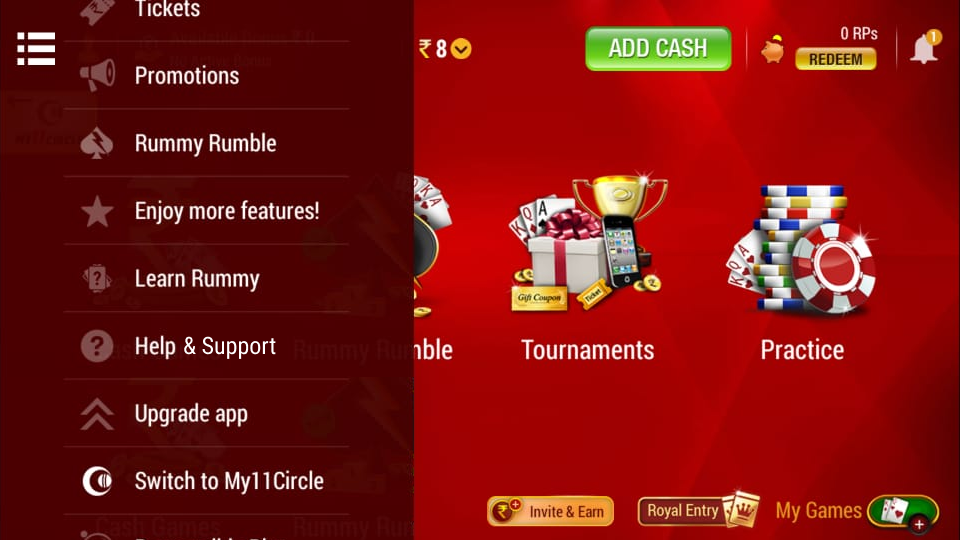
Main menu after

After

Lobby before

Before

→
Lobby after

After

Complete chatbot conversation flows

Four flow states showing the complete user journey through the chatbot — from the Help Home through FAQs, Ticket Creation, Quick Links, and Call/Chat escalation.

FAQs
Chatbot FAQs flow
Ticket Creation
Ticket creation flow
Quick Links
Quick links flow
Call & Chat
Call and chat escalation flow

Measuring what matters

Seven KPIs to track the impact of the chatbot system on customer support performance and satisfaction.

KPI 01

Bot automation % — number of queries a bot handled end to end daily/weekly

KPI 02

Number of queries transferred to a human agent daily/weekly

KPI 03

Average resolution time — were we able to bring down resolution time?

KPI 04

Average response time — having a bot would have sped up response times

KPI 05

CSAT — how many customers are unhappy with the query resolution?

KPI 06

Bot accuracy % — # of conversations without bot breaks / total conversations

KPI 07

Average Bot conversations count per player in a given time period